1. The Problem
Design systems are an excellent tool for maintaining consistency across multiple apps and screens. They enhance collaboration between teams by offering a shared framework for design and development, reducing misunderstandings and improving communication. This leads to stronger teamwork and better outcomes. Today’s design systems are an evolution of traditional branding guidelines, encompassing typography, color palettes, layout, visual image style, and proper logo usage.
The last major shift in design systems occurred with the introduction of mobile devices, which brought about a new paradigm that required the industry to rethink layouts and information presentation. Today, we're experiencing a similar transformation with the rise of conversational systems.
2. Insight
Over the past decade, we've collaborated with numerous companies using chat and voice-first systems, and we've recognized the need to radically reinvent our approach to human-user interfaces. While the primary goal—defining guidelines for product and design teams—remains the same, the way we conceptualize design system taxonomy must be entirely reimagined.
Unlike a traditional design system that focuses solely on screen-based user interfaces, a conversational design system (CDS) defines how interactions unfold across multiple platforms, where screens are no longer the primary focus. Here are the key concepts driving a conversational design system.
3. Core principles
Cross platform HUI.
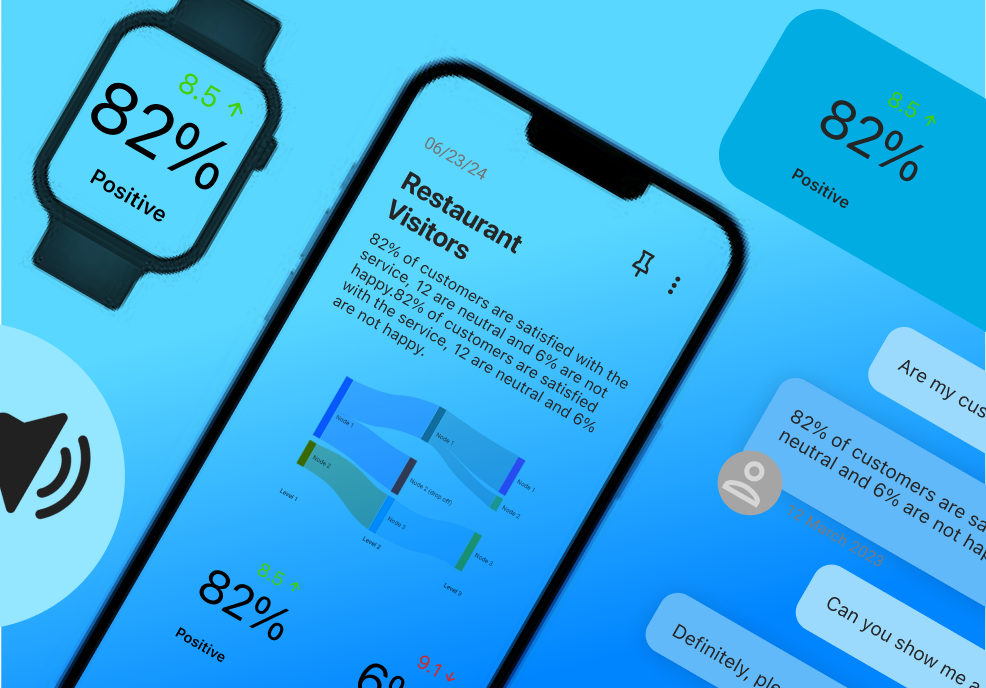
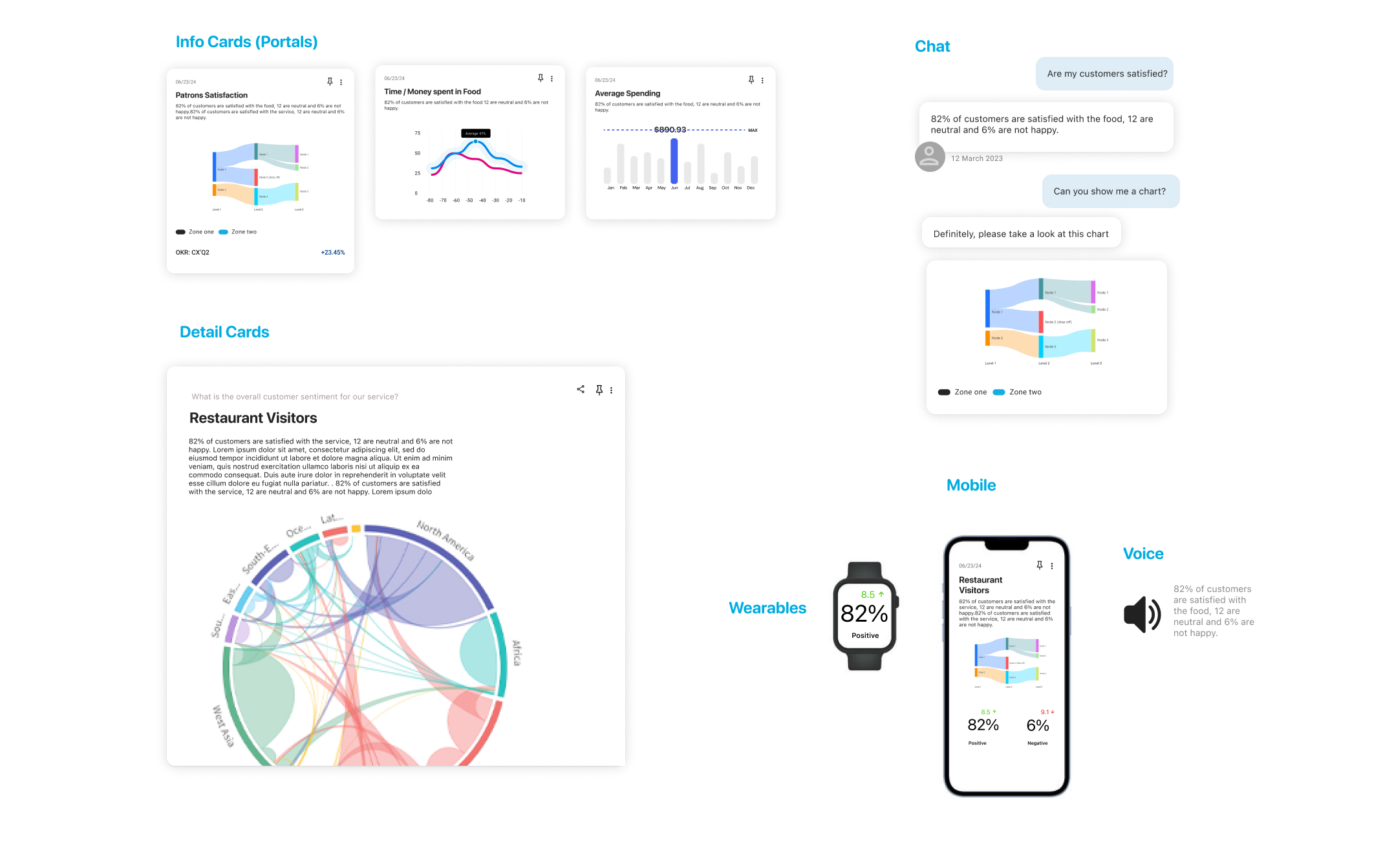
While traditional design systems rely solely on graphical user interfaces (GUI), a conversational design system (CDS) integrates user interfaces from various platforms, including sounds, voice tones, 3D objects, gestures, and haptic feedback
Cross-platform HUIs (Human-User Interfaces) are guided by the user’s intent and the platform they are using to interact with the system. For instance, a voice command might be used to notify someone while they’re driving, whereas the same notification could appear as a subtle pop-up when they’re using a headset.
The conversational design system ensures consistency across platforms, even when different HUIs are used to communicate with various users.
HUI cross-platform components are also shaped by context and priority. For example, a simple notification might begin as a quiet beep but can escalate to a visual alert with loud sounds
Platform Agnostic.
Unlike traditional design systems where the UI elements (like buttons and text inputs) can be pre-arranged in a layout, a conversational design system is dynamically generated during interactions with the user.
The output data payloads that power CDS components must be platform-agnostic, as we can't predict in advance which UI will be used to reach the end user.
Another reason the payload driving CDS needs to be platform-agnostic is that it may attempt various methods to interact with the user until the interaction is completed. This means it could cycle through multiple HUIs across different platforms to reach the user.
Flexible but consistent.
One of the key advantages of a CDS is its ability to ensure consistency across diverse platforms. Similar to traditional systems, "design tokens" are used to define the fundamental elements of interactions. For visual components, the team will establish guidelines for colors, typography, and overall style. For auditory interactions, they will define sounds, alerts, and voice cues. For gestures, the team can choose between sharp, strong, or delicate interactions, among other options.
When multiple HUIs are equally valid, the designer and development team can specify preferred interactions, allowing the developer to guide the experience. These settings can also be overridden by user preferences, where the preferred mode of interaction is defined by the user.
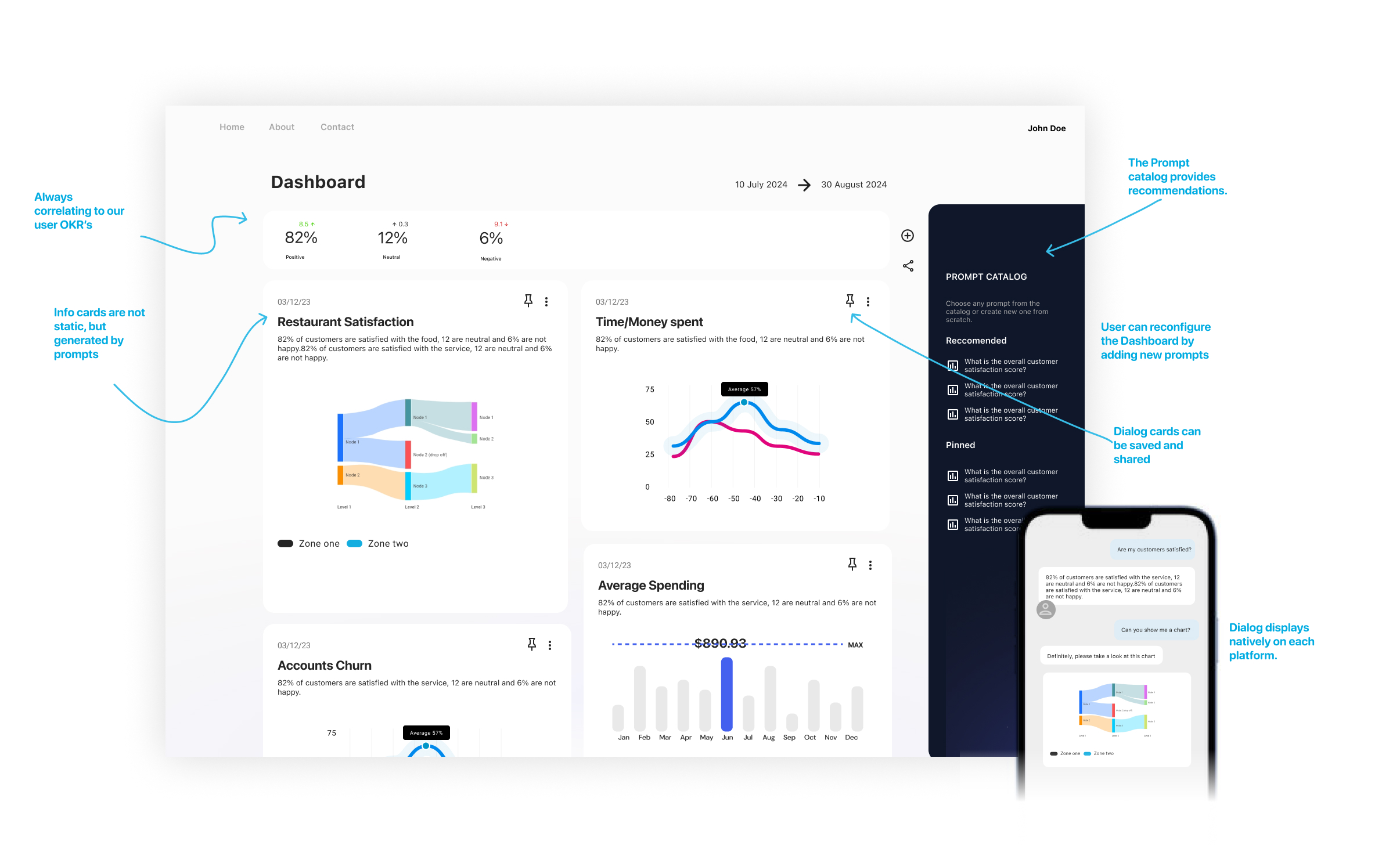
A Conversational Design System is not just shrinking or expanding UI, it selects the best UI for each platform and device.
Accessible.
Accessibility is a priority and must be personalized because everyone's needs are different. For example, visually impaired individuals require specific accessibility features, while those with hearing impairments need different types of responses. A CDS must be capable of recognizing these unique needs and delivering responses that ensure effective and high-quality interactions for everyone.
Accessibility also entails that the CDS provides responses in a language the user can understand. All CDS components should be capable of displaying information in any alphabet, and voices should be clear in any spoken language.
Implementation Details.
The CDS delivers predictable outcomes with specific data structures while remaining flexible enough to summarize and present content across various HUIs.
The CDL is designed to work with an AI that processes requests and generates correctly formatted payloads. In other words, LLMs and prompting handle the heavy lifting of preparing data for the CDS
The CDS leverages a range of technologies to interact with users, from voice and animated 3D to basic text messages. Importantly, it can seamlessly fall back to text messages if needed, ensuring that interactions remain uninterrupted.