
Overview
Skillz has more than 5,000 games using their SDK to process payments and ensure fair competition between their players. The documentation plays a very important role in the expansion and growth of the company but has been the source of multiple complaints by game studios working with the company.
Objective
The aim of this project was to solve the problem of reading but also maintaining the documentation, while improving the overall experience of developers using our SDK.
My Role
Lead Product Designer
Interviews, Prototyping and User Testing.
Company
Skillz / Devex
The Problem
With thousands of game developers creating games in multiple operating systems (IOS, Android, Unity, JS) and in different languages, Skillz documentation grew disorganized and difficult to navigate.
This project was triggered by the constant complaints received by multiple developers integrating our SDK into their platform. This initial insight was expanded with qualitative research.
This problem directly impacted important business metrics, such as new developers and the release of new games, making it a big design priority for the company.
Challenges
- Documentation covers multiple operating systems (IOS, Android, Unity, JS).
- Our game developers create games in more than six different languages.
- Documentation needs to be maintained by low-tech employees.
- Documentation has multiple versions for each SDK major release.
User Research
Early Insight
The early insight was provided by hundreds of tickets raised by developers and by talking with people that have been involved with previous documentation initiatives. This early insight showed that developers normally use search engines (like Google) to search for help, but unfortunately Skillz documentation was not optimized for SEO. Big studios were not complaining that much because they were getting personalized help from Skillz Consumer Success department. While taking care of your big clients makes sense in the short term, it was leaving out the smaller game studios (self-service studios), and effectively preventing one of the biggest goals of the company: “wide adoption all across the game industry.”
Qualitative Interviews
- I have always enjoyed working with user researchers, and this time was no exception. I put together the interview script, and I was also part of the interview process.
- My objectives when creating the script were super clear. I wanted to understand:
- How the devs use the documentation.
- How the devs share it with other colleagues.
- “The Job to Be Done”—what tasks devs have to complete day-to-day, and how the documentation supports them in the process.
- How a successful user experience would look like, without inserting bias.
Insight
These are the most important things we learned after talking with customers:
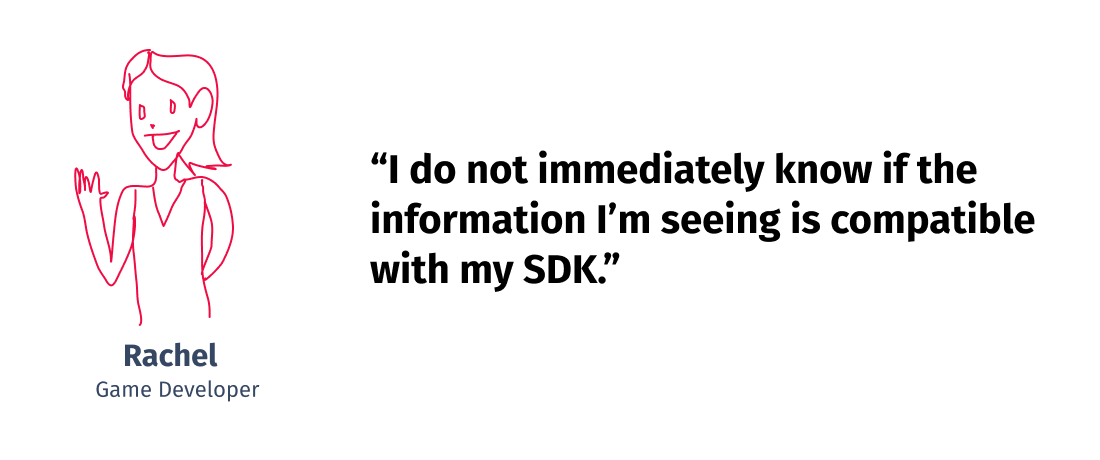
- ❌🤔 They do not immediately know if the information they are seeing is compatible with the SDK they are using. This makes document navigation difficult and challenging. More than once, customers have wasted development cycles trying to implement incompatible solutions.
- ❌⛵️ It’s a real struggle to navigate between the web app and the documentation, especially because every link opens in a new window/tab, and the page doesn’t remember which SDK version is being used.
- ❌🤖 The team have tried to use the conversational agent installed in the app, but it doesn’t answer anything correctly and always sends you back to the documentation.
- ❌🌎 The documentation in languages other than English is rarely updated, if ever at all.
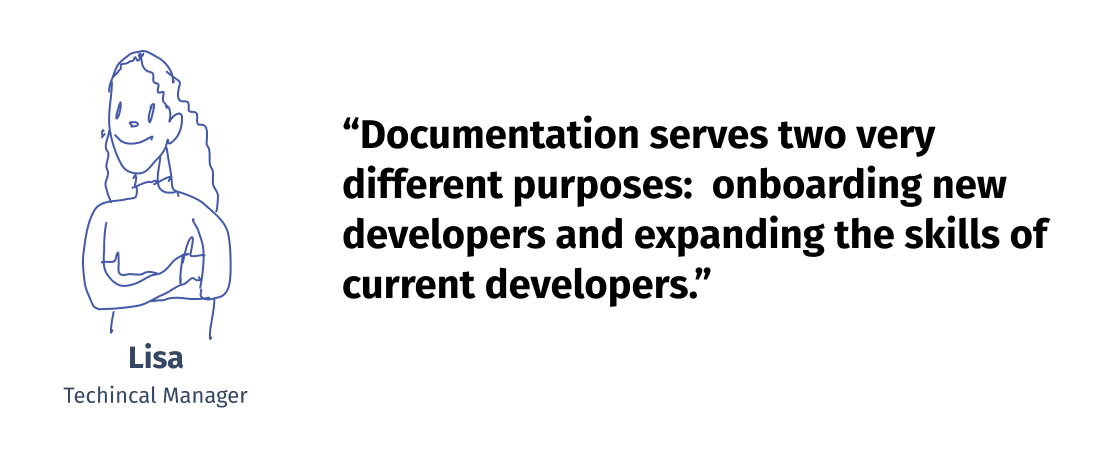
- ⚡️ Documentation serves two very different purposes: the first is onboarding new developers to the SDK and the platform; the second is expanding the skills of current developers, including debugging.
I was especially surprised by the last point. While obvious in retrospect, realizing that documentation falls into two big categories (onboarding and expansion of knowledge) was one of the most important discoveries of this initial research.
User Profile
The research made clear that the same user (the developer) would use the app differently based on her current situation. Knowing this, I categorized all the possible situations into three user profiles based on their goals and tasks.
- Backend Engineer | Bachelor CS | Understands English, other languages.
- Uses: Visual Studio Code, Github, Discord, Telegram, Stack Overflow.
- Tasks Performed:
- Installing Skillz SDK on a game for the first time.
- Learning the foundational skills around the SDK.
- Pain points:
- Backend Engineer | Bachelor CS | Understands English, other languages.
- Uses: Visual Studio Code, Github, Discord, Telegram, Stack Overflow.
- Tasks Performed:
- Debugging is the bulk of her work
- Upgrading SDK
- Troubleshooting customers
- Pain points:
- Backend Engineer | Bachelor CS | Understands English, other languages.
- Uses: Visual Studio Code, Github, Discord, Telegram, Stack Overflow.
- Tasks Performed:
- Installing new features to her game.
- Improving current skills.
- Getting certified.
- Pain points:
Iterations
Starting at the End
After talking with my product manager and stakeholder, I made the case that it would be really useful if we spend some time imagining what the best possible user experience would look like. And that’s how the following “Dream User Journey” came to be. It was an exercise mostly based on the scenarios gathered from the first qualitative research findings.
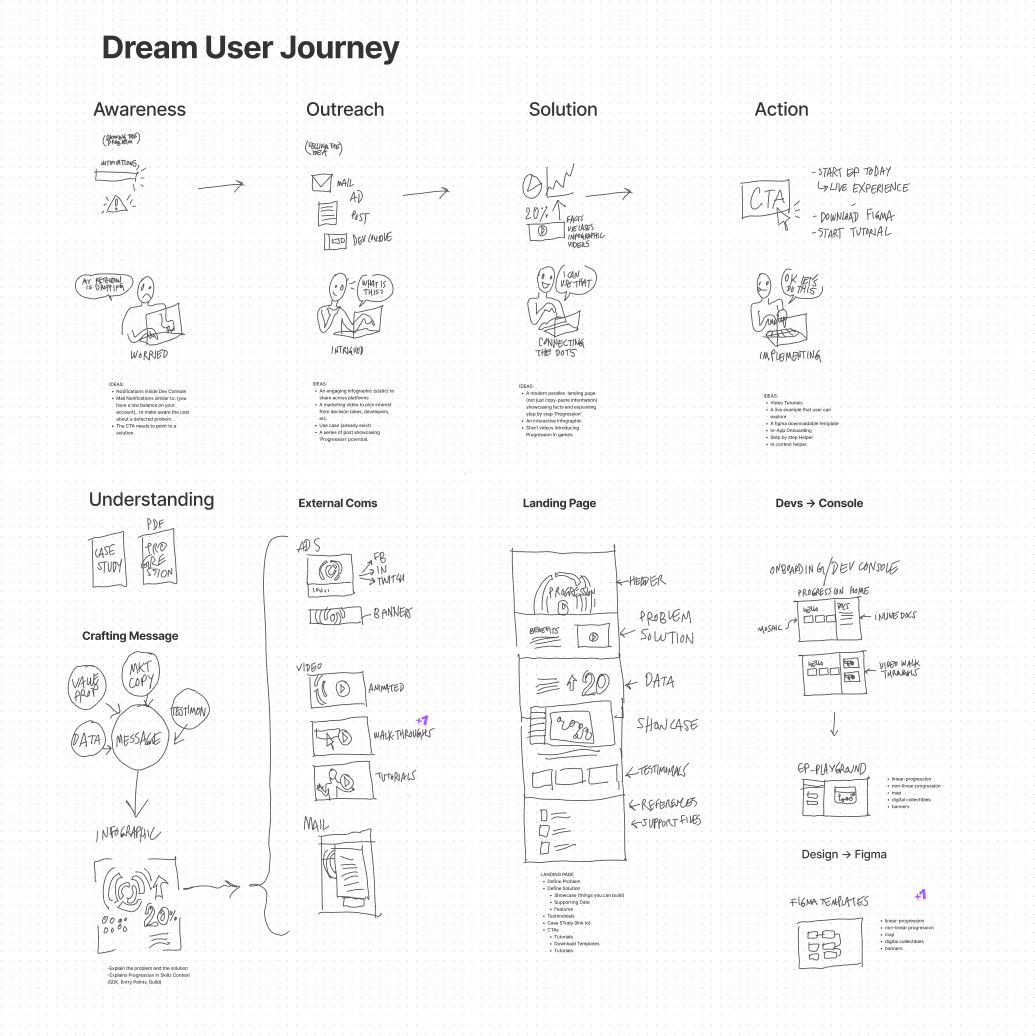
This journey shows a very proactive system that is smart enough to understand the user situation and raise awareness before it is too late. It also provides the developer with solutions using different channels, and proposes one that would make sense for her current situation. It’s a smart and proactive documentation that also encourages the developer to acquire new skills and improve her app.
Wireframe Time!!
I talked with engineers super early in the process to check on the feasibility of an idea that was brewing in my head. This idea was to bring the documentation directly into the app. After being cleared by devs, the product manager and stakeholders, I developed the wireframes and started usability testing immediately.
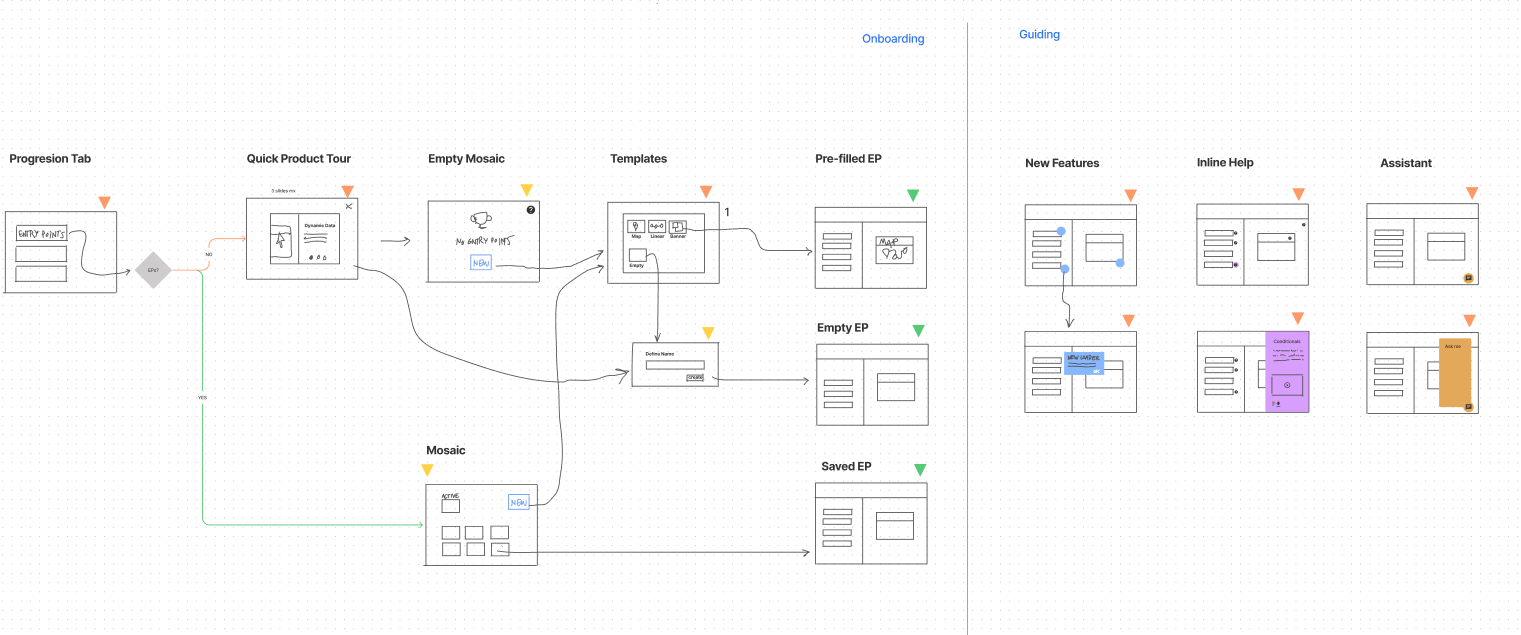
The first round was not that polished visually, but it showed the user flows that I was testing.
Usability Testing
I prefer moving to high-fidelity prototypes as soon as possible because they have a more realistic impact than regular wireframes during testing. Users also allow us to get an accurate feel for the app.
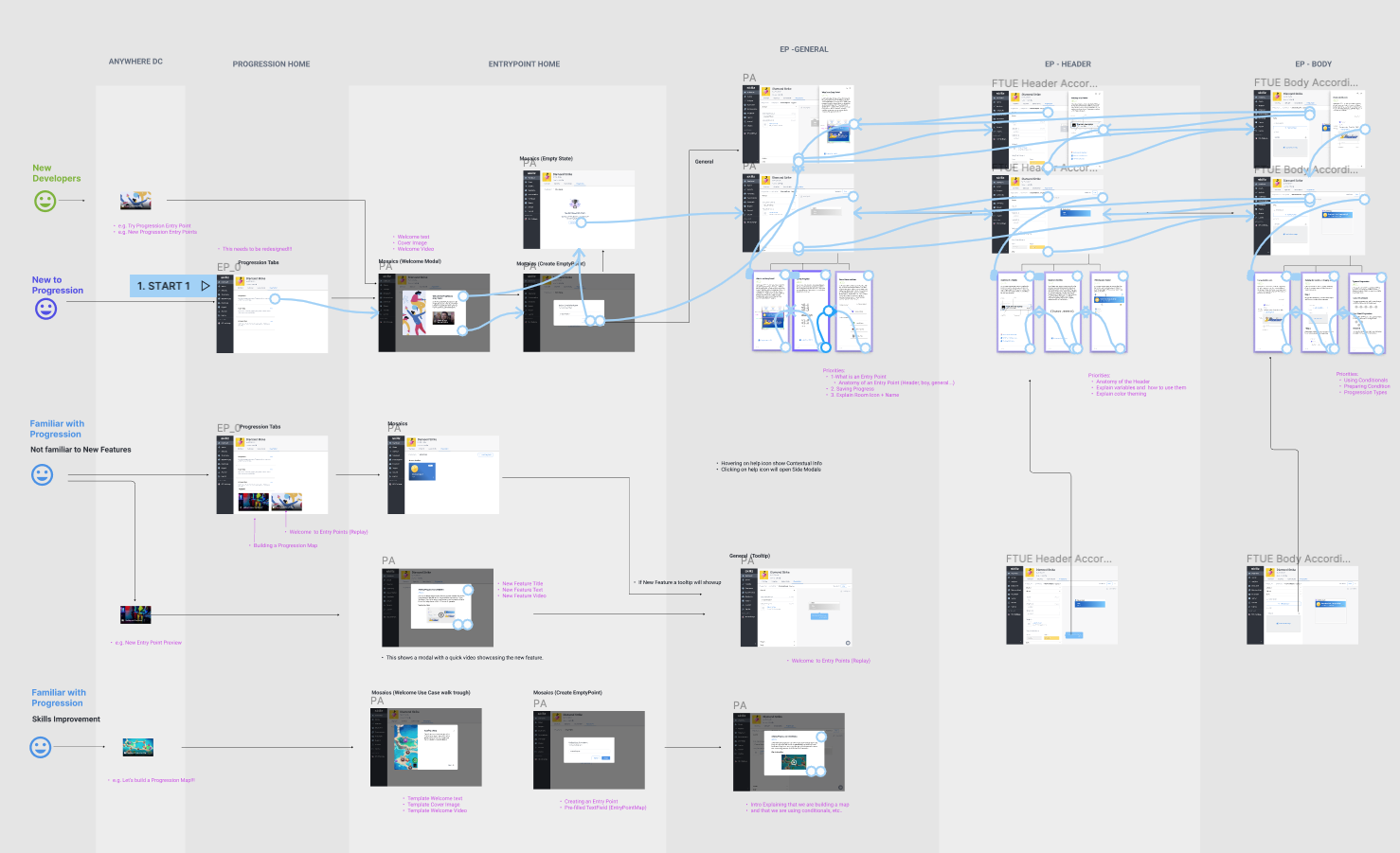
Rapid high-fidelity prototyping was allowed by a strong design system in Figma, with multiple components ready to go.
The Solution
1. In Context Help
Information where you need it.
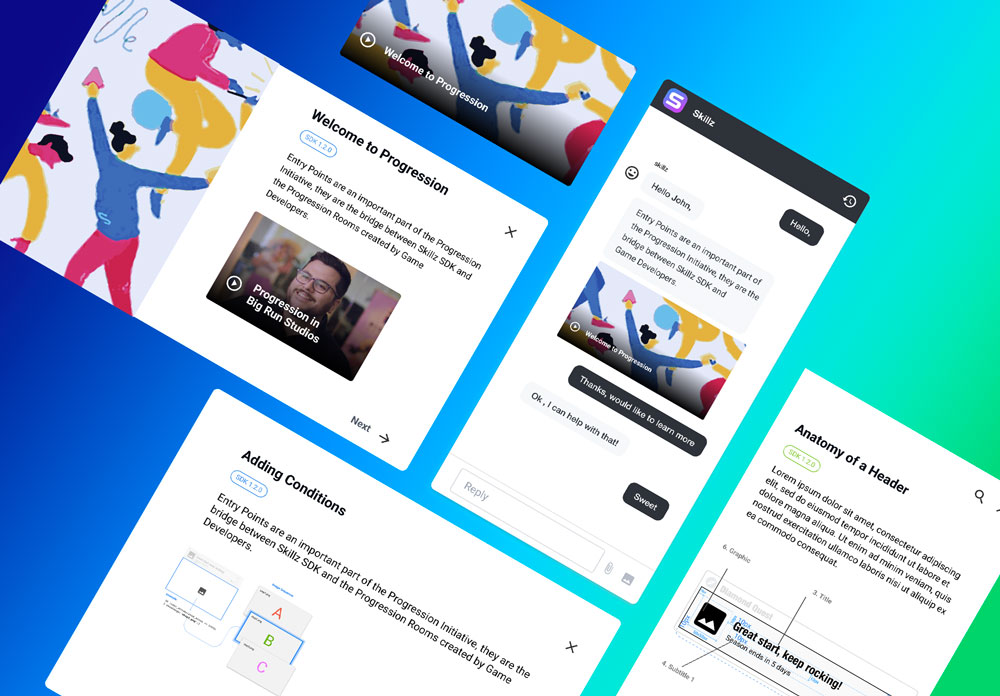
One of the most important changes on the new design was to move the documentation inside the app. This would facilitate the delivery of the piece of information at the exact time and place the user needs it. It would also allow the app to understand who the user is, preferred language, etc.
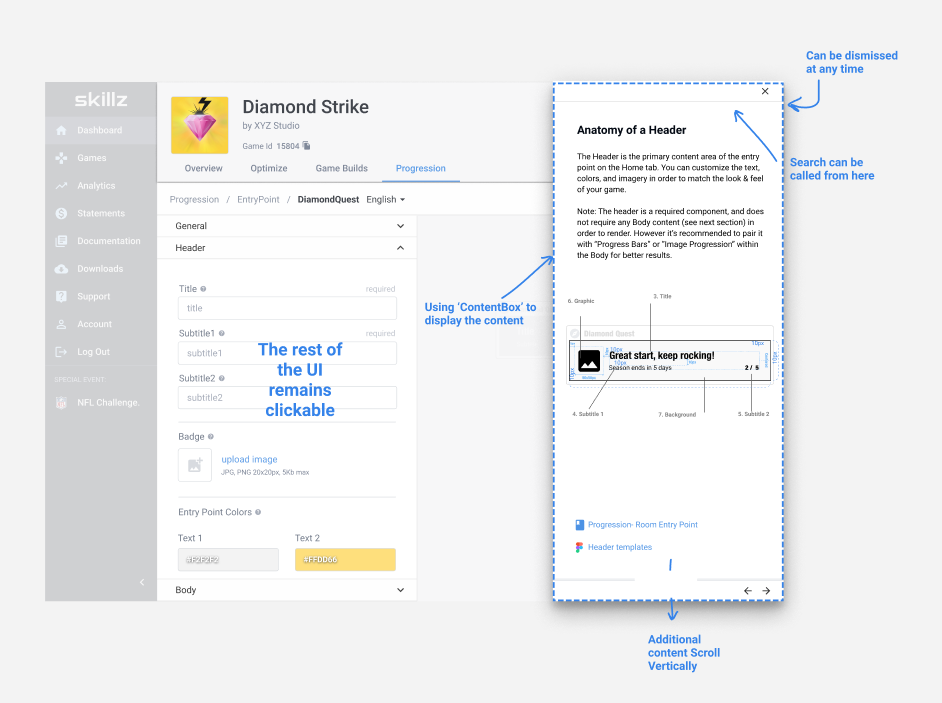
This shows how the documentation looks within the app.
2. Proactive Help
Smaller bits of help delivered on time and with a clear CTA
A very important improvement that I introduced was a clear and actionable CTA for every button, modal and UI element. This was especially important because just-in-time help would show up in the form of tooltips and other layovers.
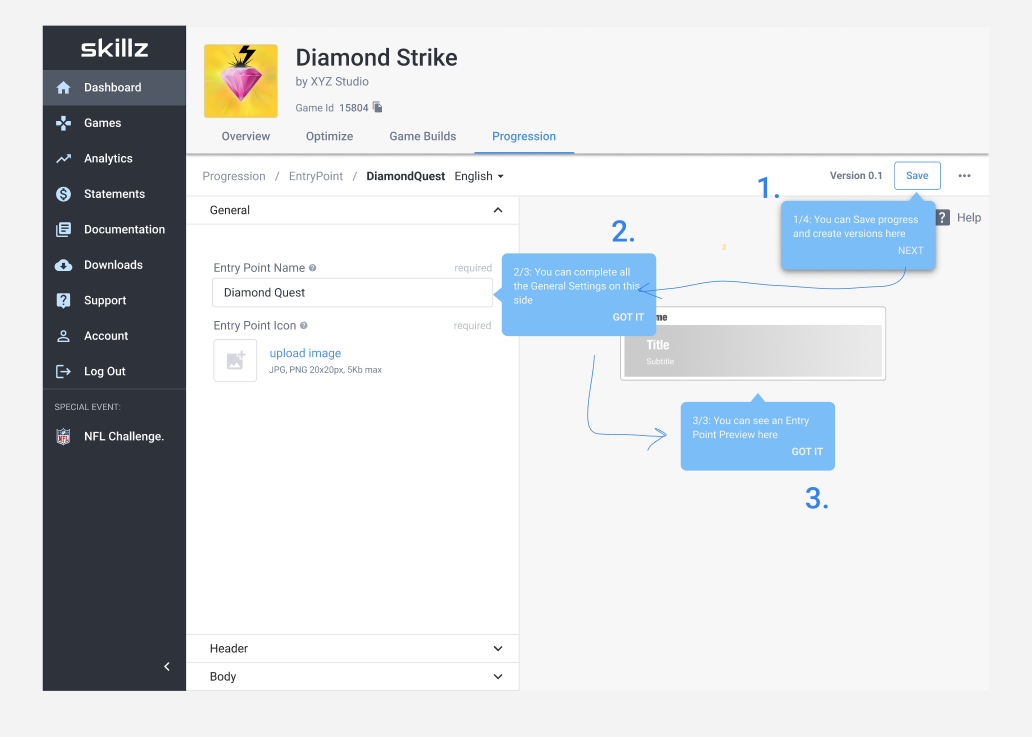
Every micro-copy explains status and defines next steps in simple and non-technical language.
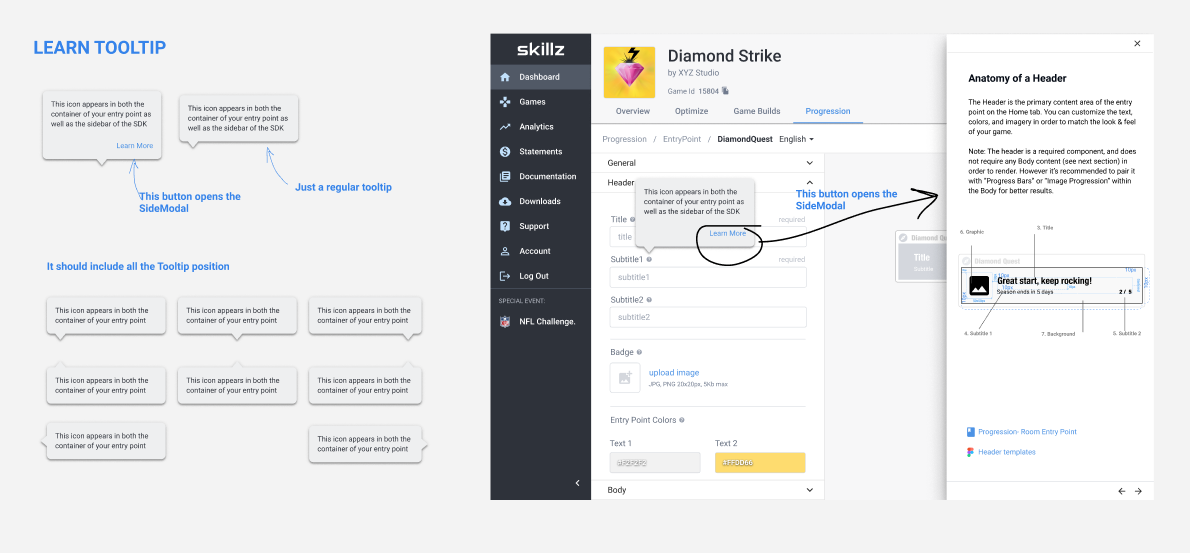
Tooltips can trigger more complex documentation (when available).
3. ML Powered Search
The right information, easy.
One of the biggest problems of the previous documentation was the search. I designed a flow that clearly communicated the status of the search, even when there were no results, and provided recommendations based on your context. This means that the app would always try to understand what you were trying to achieve, displaying related help accordingly.
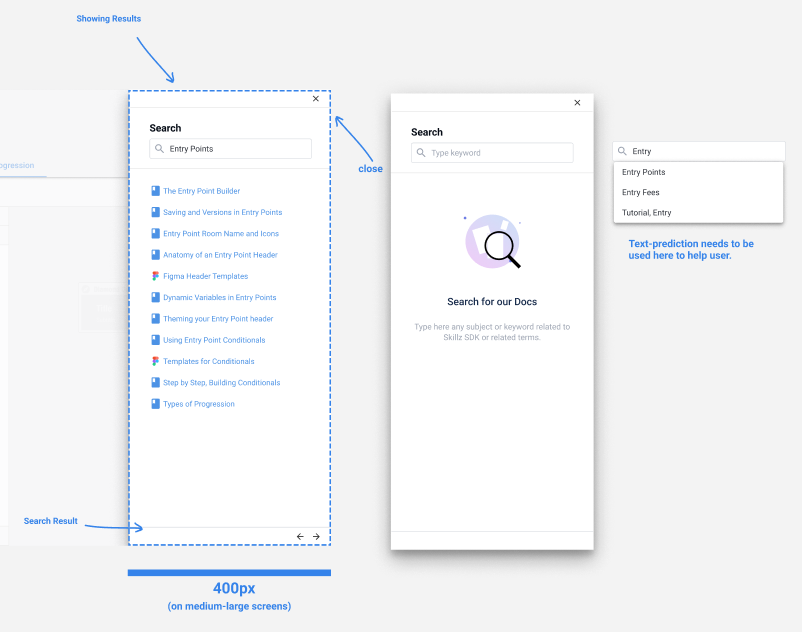
Search is currently keyword based, but it was designed to work along an intent-entity based ML model that captures utterances and improves answer accuracy over time.
4. Cross-Platform
Documentation that reaches you wherever you are.
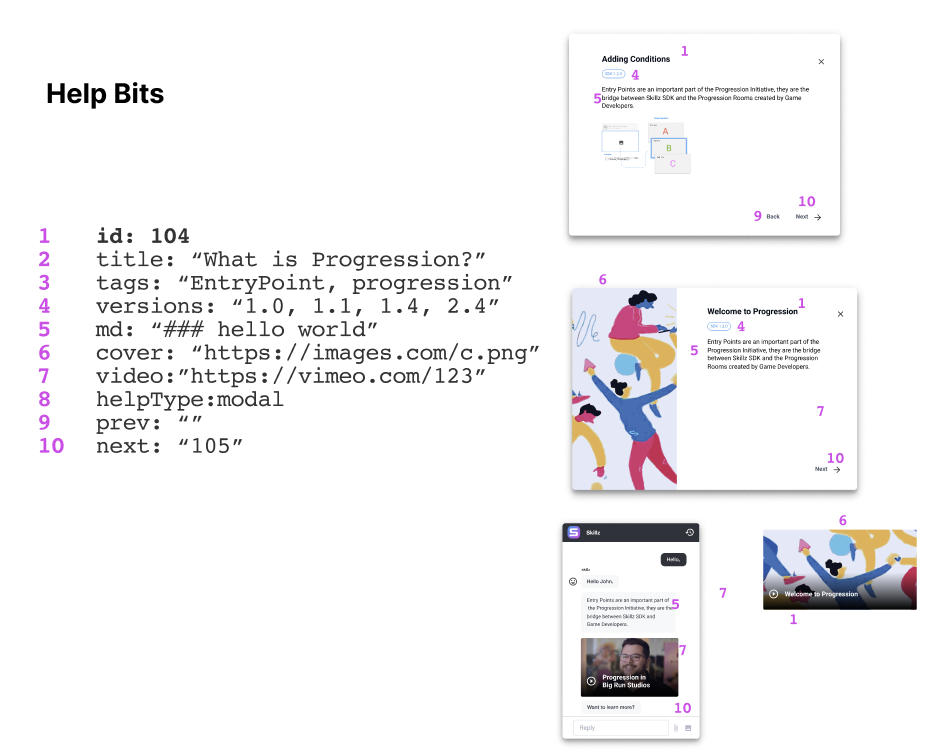
A big challenge that I faced while designing this project was to make it cross-platform and easily connect to the multiple channels used by the company for customer support (Slack, chatbots, regular docs, email, etc.). This meant that every bit of information needed to be displayed on different devices, in different UIs while being accessible to all our users.
5. Accessible
To solve this, I worked closely with the engineers of the team. Together we came up with an elegant and ingenious way of storing every bit of information into something we called “The Help Bits.”
Keeping things UI agnostic allow us to adapt to the user accessibility requirements. This way help can turn into visual aid with big fonts or an audible explanation.
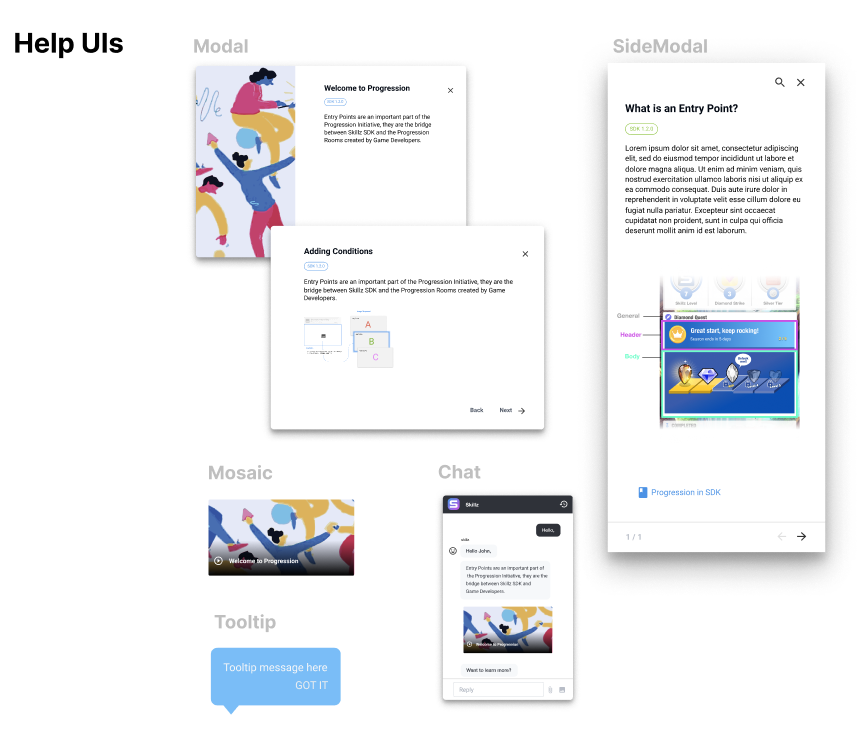
Any bit of information can manifest to the user in the form of a tooltip, a chat bubble or even an audible help, making this project accessible to people that cannot read a screen.
No-code tool for Maintainers
The last part of the puzzle (not shown here because I didn’t participate in it) was to enable content creators to update and translate the documentation. The team decided to use a CMS+API third-party solution to update the different versions and languages of the documentation. This worked flawlessly with the HelpBits JSON objects.
The Handoff
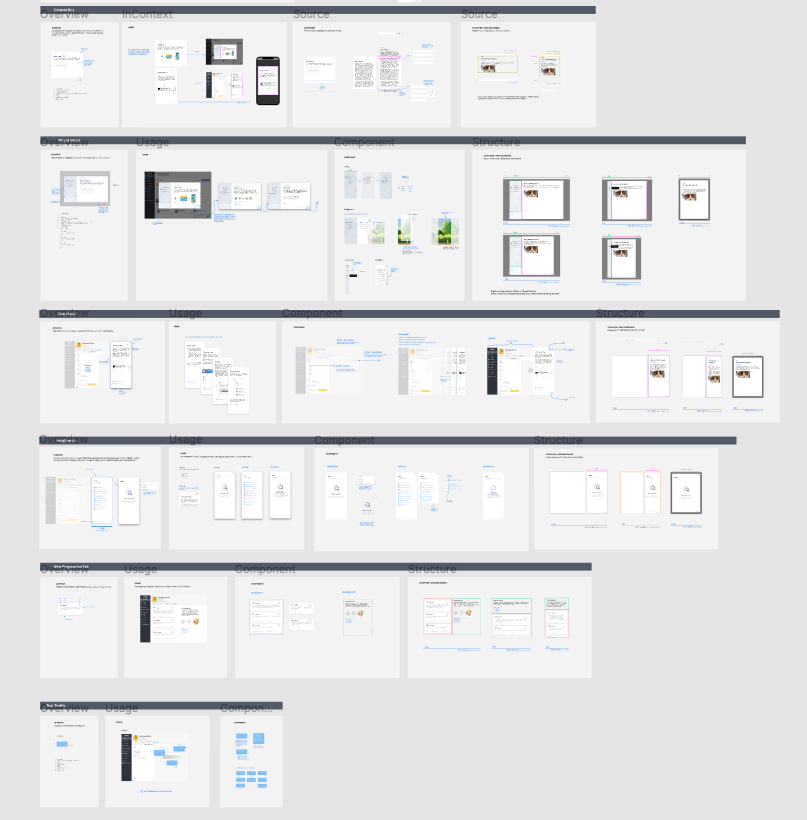
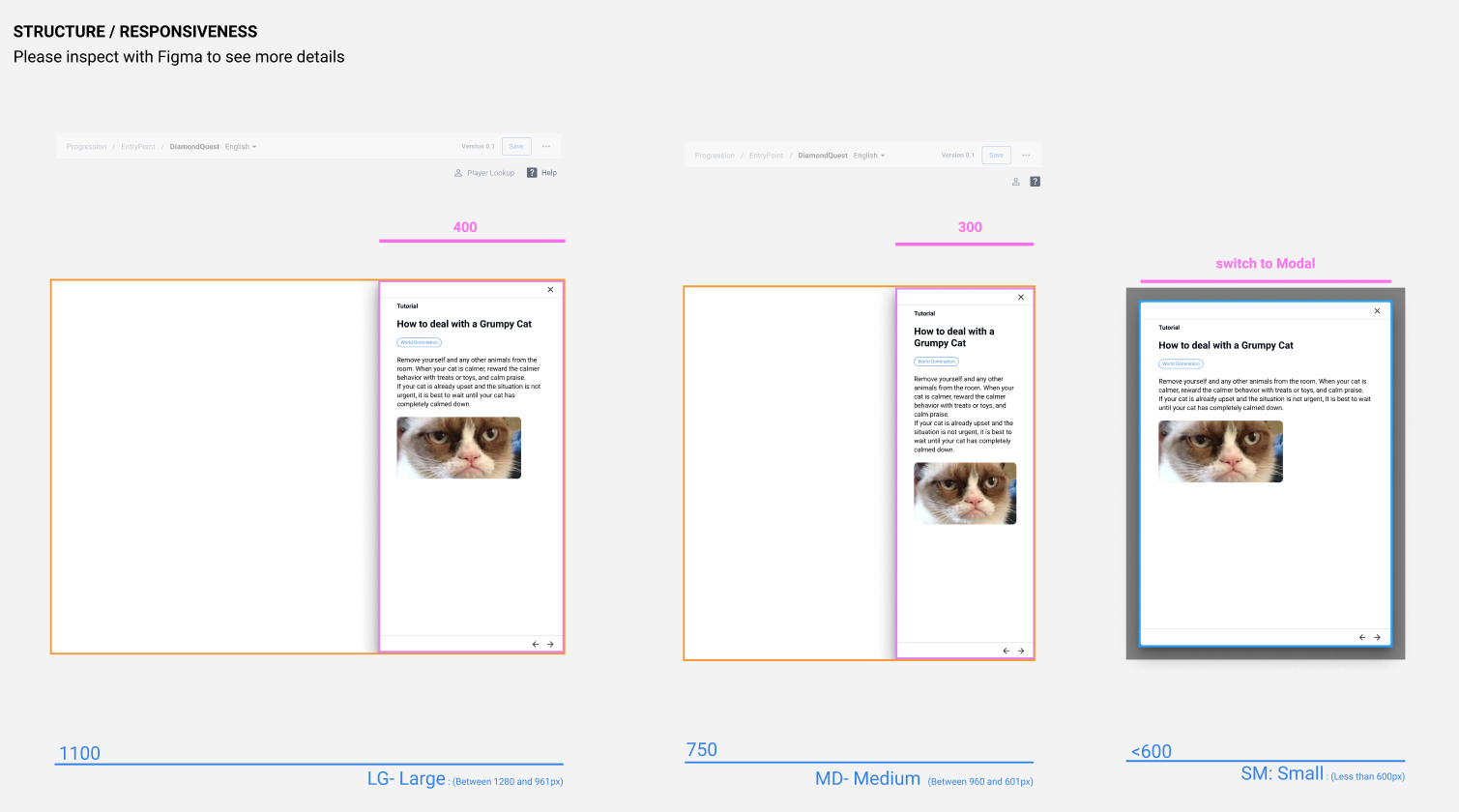
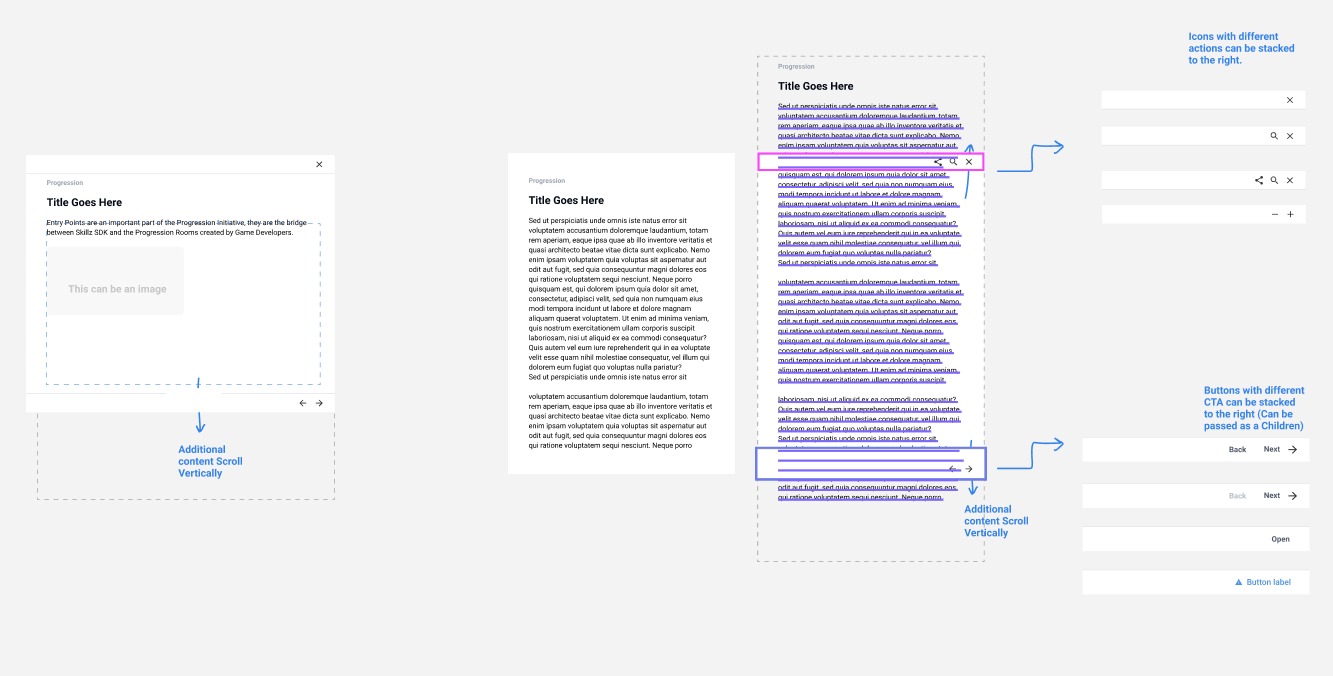
When everything was finally user tested and adjusted, I was also in charge of generating the handoff documents. I normally do this in Figma where I continue having conversations with engineers, all the way to project release. In these obsessively detailed files, I specify every user interaction, responsiveness, and also provide context to the developer so he understands why some decisions were taken.
Results
- This project is tied to one of the most important growth metrics in the company: Active Self-Service Developers. We will be tracking actions that start in the documentation and completed flows.
- The first phase of this project is being rolled out as I write this. I will update this case study with more extensive results as I learn more about them.
Project Learning
- Ambitious projects like this need to be divided into phases to manage expectations correctly.
- There’s a trove of user feedback in tickets and previous customer feedback. Disregarding all this for new research is missing a very important opportunity to understand users at their most sincere and sometimes vulnerable moments.
- Involving engineers early in the process not only makes the project 10x better, but also saves an incredible amount of time.